> For the complete documentation index, see [llms.txt](https://hlddocs.lookingglassfactory.com/llms.txt). Markdown versions of documentation pages are available by appending `.md` to page URLs; this page is available as [Markdown](https://hlddocs.lookingglassfactory.com/managing-content/using-the-demo-media-player.md).
# Using the Demo Media Player
Every HLD comes with an included demo media player to make initial setup and demonstration easy.
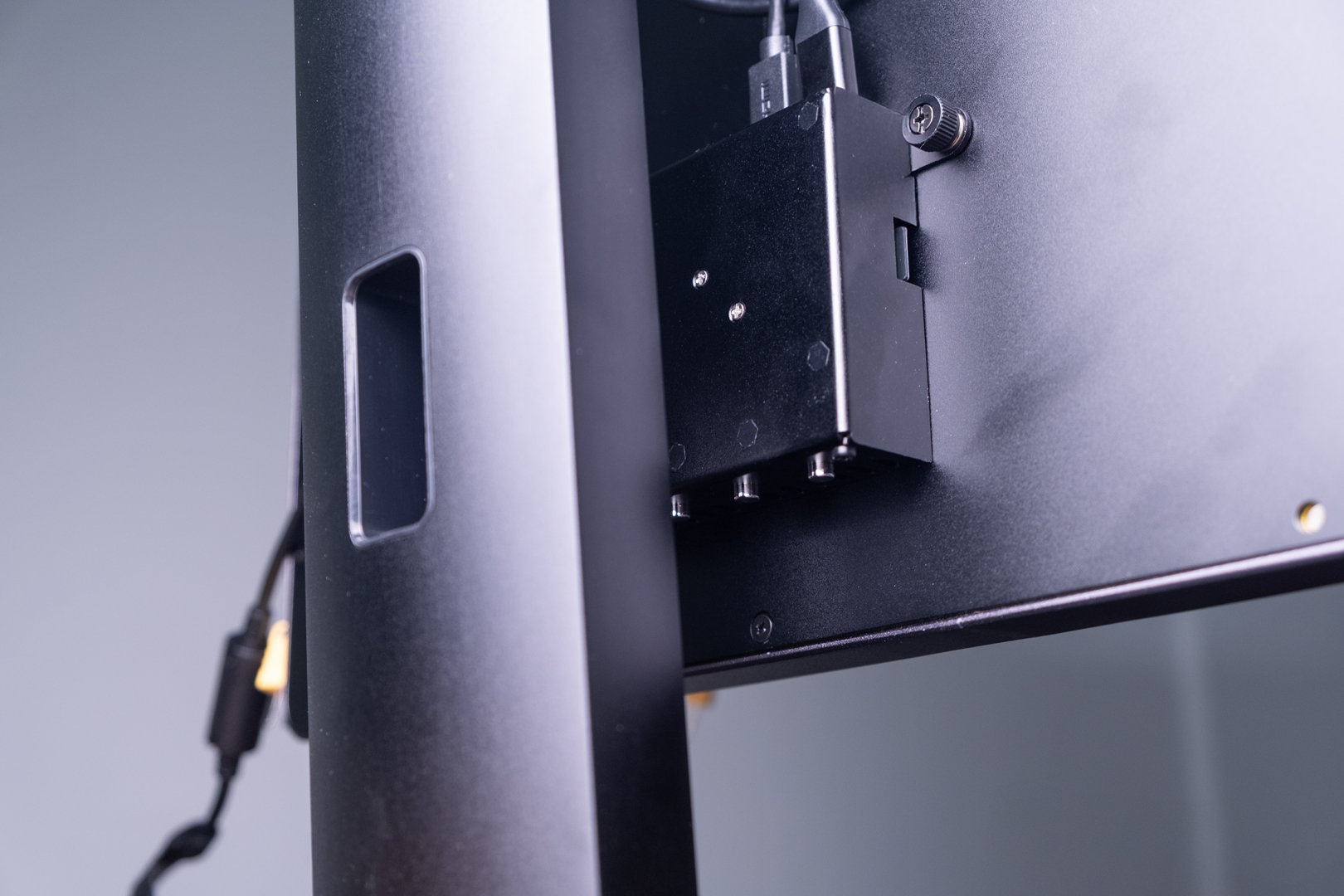
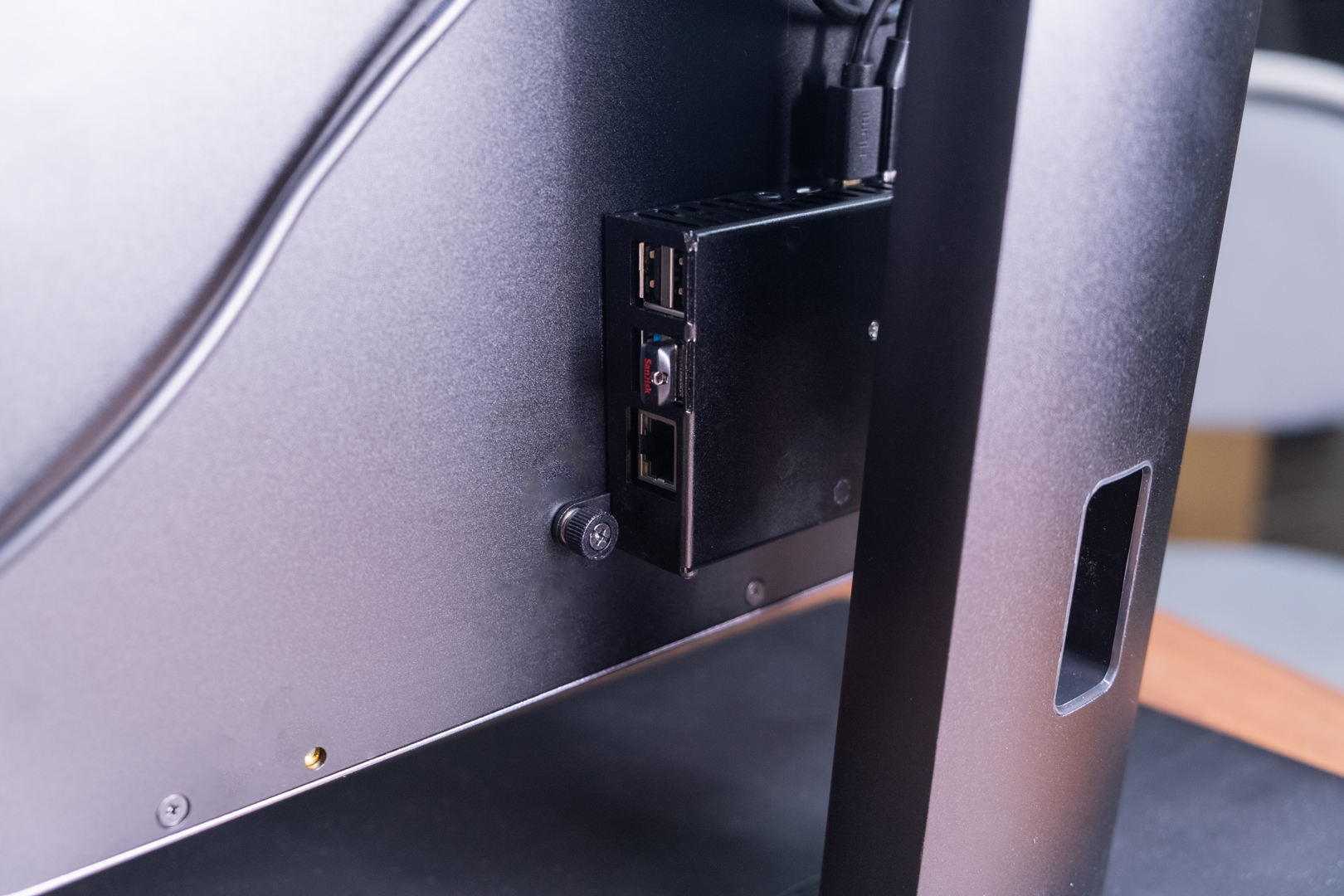
The HLD ships with a **Demo Media Player** pre-attached to the back of the display. This player is designed to help you get up and running quickly to see holographic content on your display, test placement, and perform simple installations where a full digital signage system is not required.
The Demo Media Player is a **starter solution**. It is **not intended for long-term, production deployments** or environments that require reliability, remote management, scheduling, or fleet control.
For professional installations and long-term deployments, we recommend using a dedicated digital signage platform.
{% hint style="info" %}
For production deployments, see our guides on how to set up your HLD with [Yodeck](/managing-content/yodeck-digital-signage-player.md) or a [BrightSign player](/managing-content/brightsign-digital-signage-player.md).
{% endhint %}
## What is the Demo Media Player?
The Demo Media Player is a **Raspberry Pi 4–based computer** that ships mounted to the back of the HLD. It automatically plays compatible video content from a connected USB drive and provides basic, on-device playback controls.
It is intended for:
* First-time setup and testing
* Demos and short-term installations
* Simple, standalone use cases where manual content changes are acceptable
It is not intended for:
* Permanent installations
* Managed fleets of displays
* Environments requiring monitoring, scheduling, or remote updates
## Playback controls
The Demo Media Player includes **three physical buttons** for basic playback control:
* **Left button**\
Plays the **previous video** in the playlist.
* **Middle button**\
Toggles **single-video looping**.
* By default, all videos on the drive loop as a playlist while the player is on.
* Pressing the middle button switches playback to loop the **currently playing video only**.
* Visual feedback indicates when single-video looping is enabled.
* **Right button**\
Plays the **next video** in the playlist.
## Loading Content
### USB Playback
The Demo Media Player reads content from a USB thumb drive connected to its USB-A ports.
Each HLD shipment includes a USB thumb drive that is **already plugged into the Demo Media Player**.
To load content:
1. Copy your video files onto the USB thumb drive.
{% hint style="warning" %}
All loaded content must be processed with our software, [HLD Author](/apps-and-tools/hld-author.md), in order to play back correctly.
{% endhint %}
2. Insert the drive into the Demo Media Player.
3. The player will automatically detect the content and begin playback.
Hot-swapping USB drives is supported — you do not need to power off the display when changing content.
### Playback Order
* Videos are played in **alphanumeric filename order**.
* For example, `a.mp4` will play before `b.mp4`.
* Non-video files are ignored.
* For best results, we recommend keeping **only playback-ready video files** on the drive.
## Video Formatting Requirements
Videos must be formatted according to HLD’s Demo Media Player specifications in order to play correctly.
HLD Author chooses the resolution, orientation, and codec from the Demo Media Player target you select:
* **HLD 16"**: rotated 1080p HEVC
* **HLD 27"**: rotated 4K HEVC
* **HLD 86"**: rotated 4K HEVC
These files are intentionally rotated for playback through the included Demo Media Player. For BrightSign or another standard portrait-video workflow, use the **BrightSign** or **General** export target instead.
We strongly recommend using our software, [HLD Author](/apps-and-tools/hld-author.md) to process videos to prevent playback issues. See more details on our [media encoding specs here](/resources/media-specs-and-encoding.md).
## Preparing Content for the Demo Media Player
#### HLD Author (Recommended)
[**HLD Author**](/apps-and-tools/hld-author.md) is the primary, recommended way to prepare content for the Demo Media Player.
HLD Author allows you to:
* Preview content on a **simulated HLD**
* Export videos using the correct encoding and orientation
* Prepare content without needing to understand the underlying video settings
* Prepare content remotely without needing a physical HLD in your location
#### HLD Encoder (Advanced — Coming Soon)
**HLD Encoder** is a lightweight tool for advanced users who want direct control over the encoding process. It:
* Transcodes videos to the required format for the Demo Media Player
* Can be used via a simple GUI or from the command line
* Forces videos to:
* 4K resolution (2160 × 3840)
* HEVC encoding
* 90° counterclockwise rotation
HLD Encoder is best suited for power users, batch processing, or custom pipelines.
## When to move beyond the Demo Media Player
If you are planning:
* A permanent installation
* Multiple displays
* Remote content updates
* Scheduled playback
* Reliability in public or commercial environments
You should use a dedicated digital signage platform instead of the Demo Media Player.
See:
* [Using BrightSign with HLD](/managing-content/brightsign-digital-signage-player.md)
* [Using Yodeck with HLD](/managing-content/yodeck-digital-signage-player.md)
## Removing the Demo Media Player (Optional)
If you plan to install the HLD as a long-term deployment using a different computer or a dedicated signage device, we recommend removing the Demo Media Player **before** final installation.
The player is attached using **thumb screws**, which can be removed by hand.
To detach the Demo Media Player:
1. Power off the HLD.
2. Locate the Demo Media Player on the back of the display.
3. Disconnect the HDMI and USB connections.
4. Unscrew the thumb screws by hand.
5. Carefully remove the player from the mounting points.
Once removed, you can replace it with your preferred hardware solution (for example, a BrightSign player) as part of your permanent setup.
## Support
If you have any questions or hit any issues using your Demo Media Player or HLD, please contact us at .